

YouVersion Bible App + Audio review
 Analysis by GetAllApps
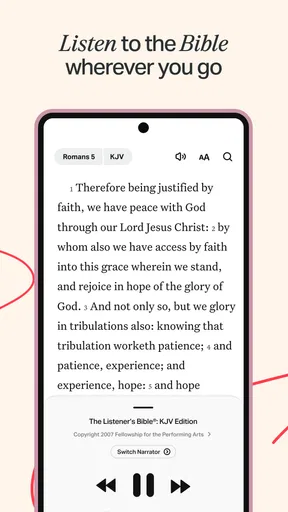
YouVersion Bible App makes a simple idea feel useful in everyday life: keep the Bible close, make listening part of the experience, and give each day a gentle point of focus. I find that audio is the feature worth lingering on. It changes Bible reading from an activity that asks for a quiet seat and a free pair of hands into something that can fit around ordinary routines. Whether I’m settling in for a reflective moment or listening while doing something else, the app gives scripture a more flexible place in the day.
A Bible app built around listening
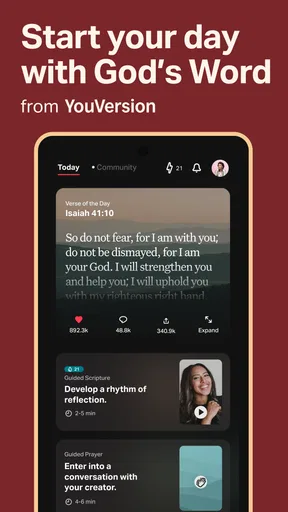
The app is free and comes from Life.Church. Its focus is broader than a digital text alone: the daily Bible experience brings together audio, a Verse of the Day, offline access, Bible study, and devotionals. That mix gives the listening feature a clear role. Audio is not just an extra tucked away on the side; it helps make scripture easier to approach when reading on a screen is inconvenient or when a change of pace feels welcome.
In my view, that flexibility is the appeal. Reading encourages you to pause over a passage, while listening lets you follow along without keeping your eyes on the display. Neither approach has to replace the other. You can use audio when your hands are busy, then return to the text when you want to reflect more closely. That makes the app feel suited to different moods and routines rather than tied to one ideal way of engaging with the Bible.
Why audio can make a difference
Some days, sitting down to read is easy. On others, the day is already full, and opening a book or a screen feels like one more task. Audio lowers that particular barrier. Scripture can become part of a walk, a quiet break, or a familiar routine at home. I appreciate that this does not require turning the experience into a complicated project: listening is simply another way to spend time with the text.
Audio also changes the rhythm of attention. A spoken passage unfolds at its own pace, which can encourage a more deliberate kind of listening than quickly scanning a page. If a verse catches my attention, I can stop and consider it rather than treating the reading as something to rush through. For anyone who finds screens tiring, or who prefers to absorb information by hearing it, that difference may be especially meaningful.
What using it feels like
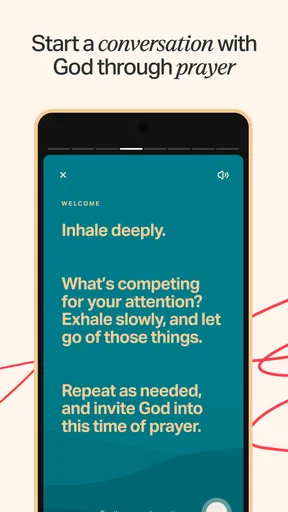
The app’s daily framing gives the experience a natural starting point. The Verse of the Day can offer a brief moment of focus, while Bible study and devotionals provide options for spending longer with the material. Audio fits comfortably into that broader pattern: I can choose to listen as part of a short daily habit or use it when I have more time to engage with scripture. The important thing is that the app does not make listening feel like a separate destination from the rest of the experience.
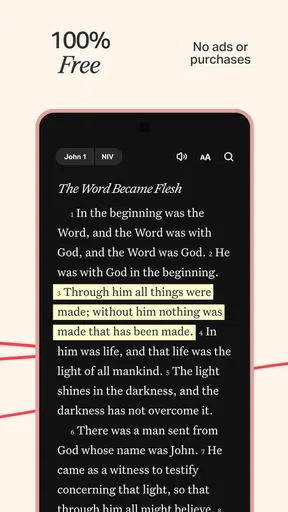
When I want a more focused session, reading and listening can complement each other. I might hear a passage first, then look at the text and take more time with a particular line. At another moment, I may prefer to listen without trying to study every detail. That freedom keeps the app approachable. A daily Bible routine does not have to look identical from one day to the next, and the audio option helps make room for that variation.
The most practical benefit is that scripture can fit around your day instead of requiring your day to stop for it. That is not the same as saying listening is always better than reading. It is simply a useful alternative when reading does not suit the moment. Having both approaches available can make it easier to keep a routine going, especially when schedules or attention levels shift.
Offline access and everyday flexibility
Offline access adds another practical dimension to the app’s daily-use approach. It means the experience is designed to remain useful beyond moments when a connection is convenient. For someone who wants to keep Bible reading and study within reach during everyday transitions, that can make the app feel less dependent on being in one particular setting. The combination of offline use and audio supports the same central idea: make scripture easier to return to in the circumstances you actually have.
I see this as a quiet strength rather than a flashy feature. The app is most compelling when it becomes a familiar part of a routine, not when it demands constant attention. A daily verse can be a brief touchpoint; audio can make a longer passage easier to fit in; devotionals and study can offer a more considered way to continue. Those options give users room to shape their own habits instead of forcing every session into a single format.
Where the audio experience fits best
The best scenario for audio is a moment when you can listen but cannot comfortably read. A walk, a routine at home, or a short pause between activities can all suit that kind of use. It can also help when you simply want a change from looking at a screen. In those situations, listening can make Bible engagement feel less like another item on a checklist and more like a natural part of the day.
Audio can be a good starting point for people who find it hard to build a reading habit, too. Beginning with a short daily moment may feel more manageable than setting an ambitious plan and abandoning it when life gets busy. The Verse of the Day offers a compact point of entry, while Bible study and devotionals are there for readers who want to explore further. The app’s value lies in that range of possible rhythms, rather than in insisting that everyone follow the same one.
It also suits users who already read regularly but want another way to engage. Listening can bring a different sense of pace and emphasis, while returning to the written passage allows for closer attention. I like that the two modes can serve different purposes: audio for convenience and continuity, reading for a more deliberate look at the text. That combination makes the app useful for both casual daily contact and more focused study.
The tradeoffs to keep in mind
Listening is convenient, but it does not suit every situation. It asks for attention in a different way, and a busy environment may make it harder to follow a passage than reading quietly. Some people also prefer to control their own pace by moving through the written text. For those users, audio may be an occasional alternative rather than the main way they use the app. That is a natural limitation of the format, not a reason to dismiss it.
There is also a difference between hearing a passage and studying it closely. If I want to pause over a phrase, compare what I have read, or spend time reflecting, the written experience may feel more comfortable. The app includes Bible study and devotionals alongside audio, which helps provide other ways to engage. Still, it is worth approaching audio as one useful tool among several, not as a complete substitute for every kind of reading or reflection.
Daily content can encourage consistency, but a routine only works if it feels personal and sustainable. A verse or listening session should not become another obligation that leaves someone feeling behind. I think the app works best when users take advantage of its flexibility: listen on the days when that fits, read when they want to slow down, and use study or devotional material when they are ready for more. That keeps the experience grounded in individual needs.
A broad audience and a familiar daily habit
The app has reached a very large audience, with more than 100 million installs, and it carries an average rating of 4.9 from around 9.3 million ratings. Those figures point to a widely used Bible app, but the everyday appeal is easy to understand without turning the experience into a numbers story. Its central promise is practical: put scripture, audio, and daily resources in one place, then let people choose how they want to engage.
It is rated Teen and is available at no cost. The current version is 11.34.1+7098322, with Android 7.0 as the minimum operating system requirement. For people looking for a free Bible app with audio, these details help explain why it is an accessible option to consider. The broader experience also includes offline access, Bible study, and devotionals, so it can serve more than a single listening habit.
YouVersion Bible App is likely to benefit most people who want scripture to be easier to fit into ordinary life. Audio is especially useful for listeners who prefer spoken content, people who have moments when reading is inconvenient, and anyone trying to make a daily Bible habit feel more flexible. Readers who want a more text-centered or highly focused study session can still use the app’s other resources, while treating audio as an alternative for the right moment.
A flexible way to return to scripture
For me, the strongest reason to try the app is not that audio replaces reading, but that it makes another kind of engagement possible. It gives scripture a place in moments that might otherwise pass without a pause, while the Verse of the Day, offline access, study, and devotionals help round out the daily experience. That balance feels practical and welcoming rather than overly demanding.
If you want a Bible app with audio and daily resources, this is a compelling option to explore. Its listening feature is most valuable when it matches the moment: use it to make a passage easier to fit into a busy day, and switch to reading or study when you want to slow down. I’d recommend it to anyone who appreciates having more than one way to engage with the Bible and wants a flexible, no-cost place to build a routine at their own pace.
Pros and cons
Pros
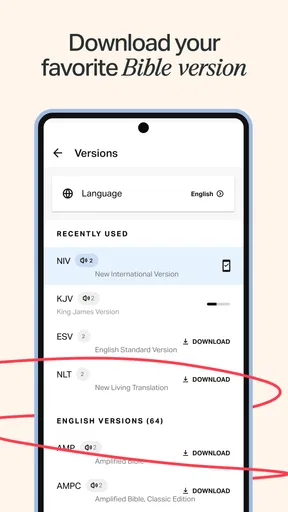
- Offers many Bible translations in one app.
- Audio Bibles make listening convenient.
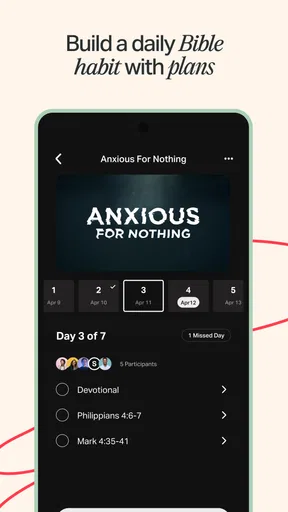
- Reading plans help build a regular habit.
- Verse sharing tools are easy to use.
- Many features are available without payment.
Cons
- Some translations require an internet connection.
- Audio playback may use significant mobile data.
- The large feature set can feel overwhelming.
- Some audio versions are unavailable in certain languages.
- Daily reminders may feel distracting to some users.


